The job site app your crew will actually use
Today's job, photos, daily logs and punch items, built for the way your crew works. It runs in the phone browser today, with native iOS and Android apps coming soon.
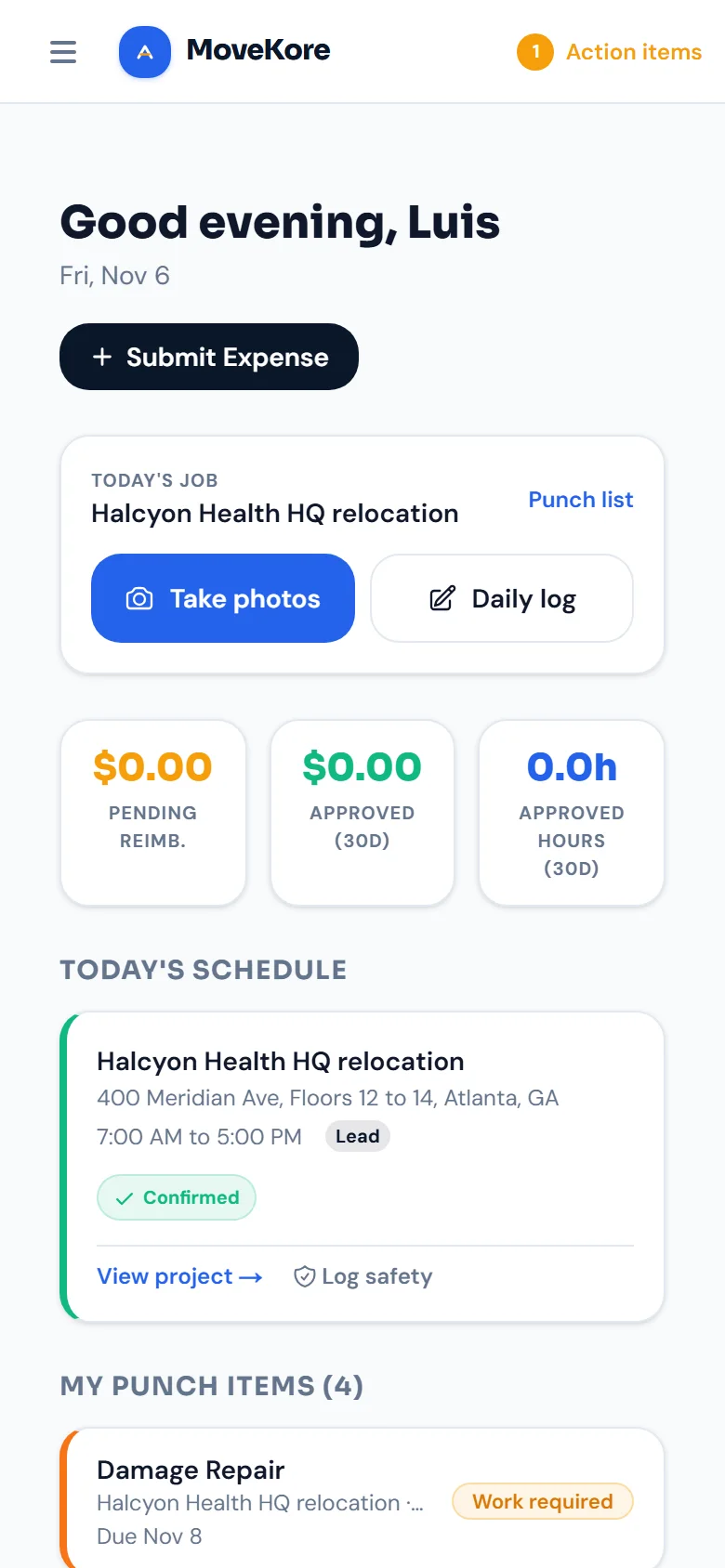
Sample dataReal MoveKore screen, as a crew lead sees it. The company and job are sample data.
The whole day on one screen
The move day view shows phases done, crew on site, open issues and photos taken today, then today's phases in order.
Logs, photos, change orders, punch items, safety and messages sit in the bar along the bottom of the screen.
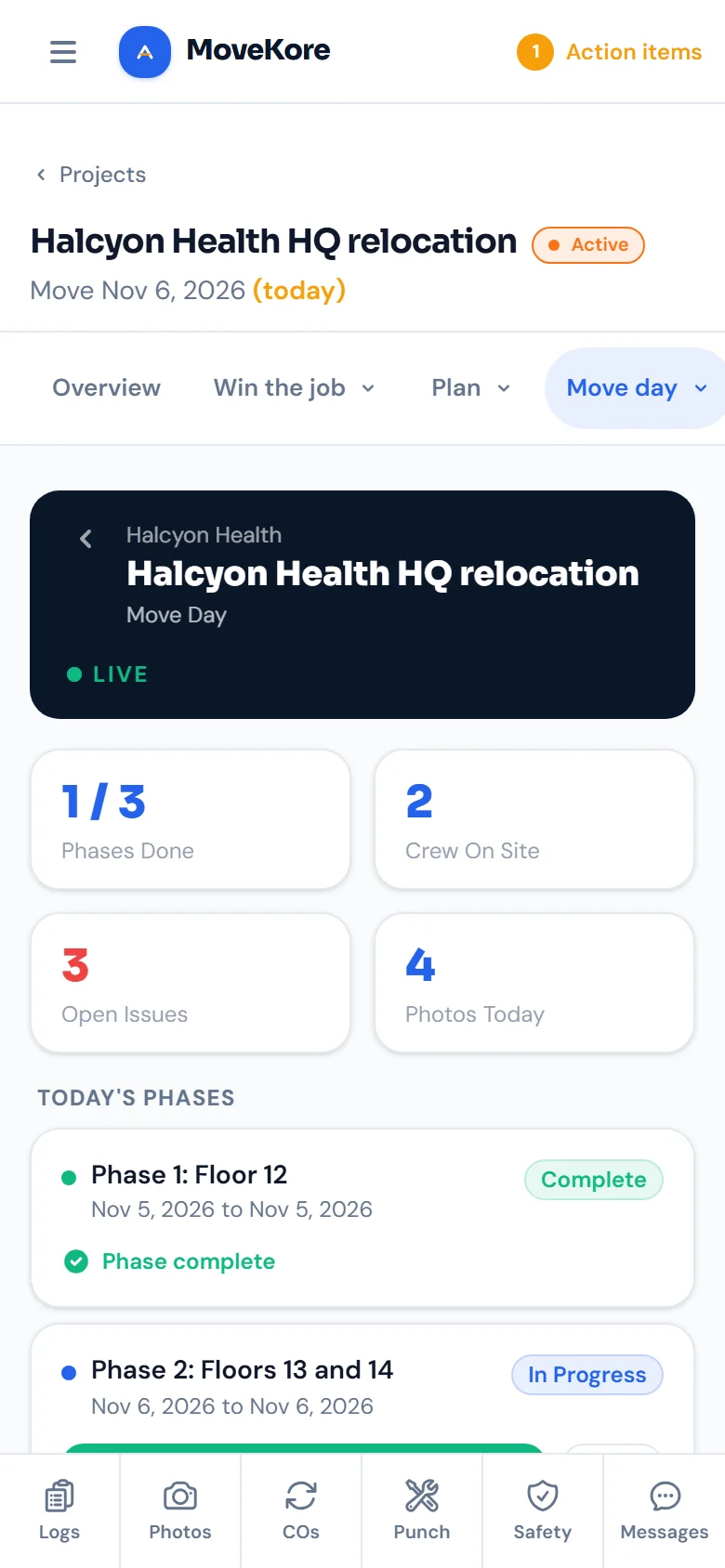
Sample dataReal MoveKore screen, as a crew lead sees it. The company and job are sample data.
Built for how crews work
A sign-in link, the jobs they're assigned to, and the few things they need on site.
Works in the field
Runs in the browser on the phone they already carry. Nothing to install while the native apps are on the way.
Nothing to install
It runs in any phone browser. Crew sign in with a link sent to their email, with no password to remember.
Photos filed to the right room
Pick the room and the tag, then upload a batch. The PM sees who uploaded each photo and when.
Safety built in
Log toolbox talks, near misses, and equipment checks on the spot. Everything timestamped and job-tied for your PM.
What changes on the job site
Crews get powerful tools. They also get to stop doing the things nobody should be doing in the field.
What crews can do
- See today's job and shift
- Upload job site photos tagged by room and before, after or damage
- View their daily schedule on the jobs they're assigned to
- Submit daily logs
- View assigned punch items
- Log toolbox talks, near misses, and hazard observations
- Report incidents with an OSHA recordable flag
- Log equipment inspections and PPE checks
What crews DON'T have to do
- Remember a password
- Install anything
- Remember to send photos to the PM
- Fill out paper forms
- Write change orders or do billing
Coming to iOS and Android
Native crew apps are coming to the App Store and Google Play. They are not out yet. Today your crew opens MoveKore in their phone's browser, signs in, and sees their first job.
Show your crew in 10 minutes.
Book a live walkthrough with your team. We'll configure the app around your phases and spaces on the call.
Book a demo with your team →